Table of Contents
CREATE A FREE BLOG
You can create a free blog. Yes, it is very very easy you have to just write and write on specific keywords. Blogging will also give you a handsome monthly income being your own boss. Within the passage of time, your blog will be ranked in search engines provided you are using quality content that is compelling for the readers. Here our main focus will be on creating and managing a free blog. In this regard, I am giving you some useful tips and tricks for newbies on the blogging journey.
Blog with Blogger.com
We will teach you the best way to begin a blog for making money from blogging. Here we will teach you about a free platform for blogging which is Blogger.com (a product of Google). The biggest platform for bloggers throughout the world. You can create up to 100 blogs on it free of cost. Our motive will be to teach you with complete guidance and clarifications about blogger.com. Blogger permits its users to make multiple blogs according to their interests and Publish blog posts on them.
Note, Any pornographic content and other prohibited content will not be allowed on Blogger.com.
Creating a Blog
Developing a blog on Blogger is quite simple. Before you begin you should ensure that you have a Google account. That is a necessity on the grounds that Blogger.com analysis your Google record to confirm you to Blogger.com. Don,t worry if you did not make any google account. You can create a Gmail account free of cost. Just, by creating a Gmail account, you can pursue your blogger journey.
Steps to be followed
- You should register your account on blogger.com with your already created Gmail account.
- Afterward, you have to choose your blog address or title.
- Again you will choose a theme for your blog which best suit your blog posts.
- There will be different options on the blogger dashboard you should click on the NEW Post button and start making new posts. After creating your post you can publish it by clicking on the publish button. Now below we will show how you have to create the whole game plan on blogger. so create a free blog.
Creating Account
Once you have created your Gmail account you can sign into blogger.com. There is no need for any separate account. Google will use your Gmail account for creating a blogger account. Here we are providing screenshots of the blogger account for the sign-in page. 
Selecting your Blog name
The next blogger dashboard will be open and here you will choose the name for your blog. You can select any name of your blog which is compatible with your business name. Here is the image of the next window that will open after sign up.  Now as You noticed at the top of the dashboard Principle of Marketing is mention. It is my blog name. You have to provide a name for your own blog before publishing any type of content. So before creating posts or any type of content you should specify your blog name. Blog name will represent your business or your interest in a specific niche. Clearly choose the name of your blog. Once the name selected, it cannot be changed. So be careful while choosing it.
For example, you want to write on Education, you can run your blog by giving a specific name such as online education or any other which you want. The next step will be about your theme.
Now as You noticed at the top of the dashboard Principle of Marketing is mention. It is my blog name. You have to provide a name for your own blog before publishing any type of content. So before creating posts or any type of content you should specify your blog name. Blog name will represent your business or your interest in a specific niche. Clearly choose the name of your blog. Once the name selected, it cannot be changed. So be careful while choosing it.
For example, you want to write on Education, you can run your blog by giving a specific name such as online education or any other which you want. The next step will be about your theme.
Selecting Appropriate Theme
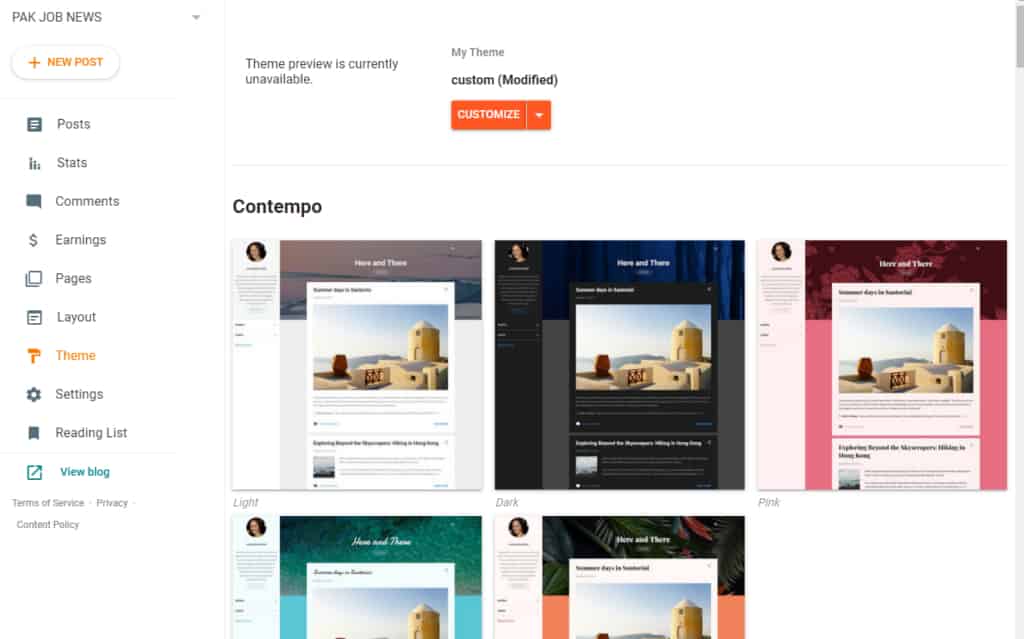
So it is time to select your theme. In the above picture, you can see the theme option.
Click on the theme button. A new window will be opened before you. Just like that 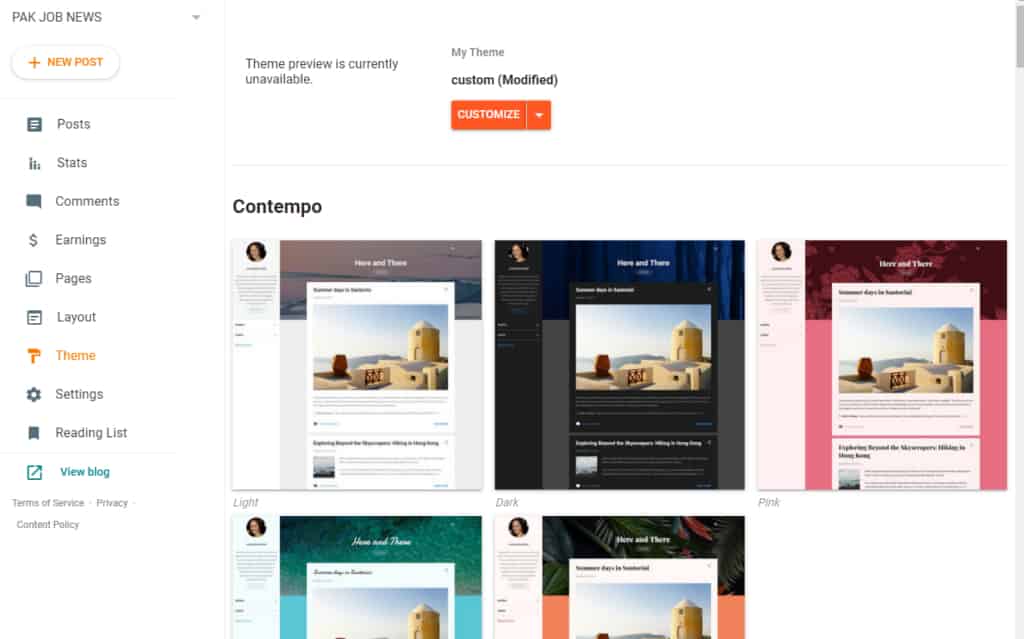 There will be a lot of themes. So select one of them and then click on the theme. When you click on any theme two options will open. Consult the below picture.
 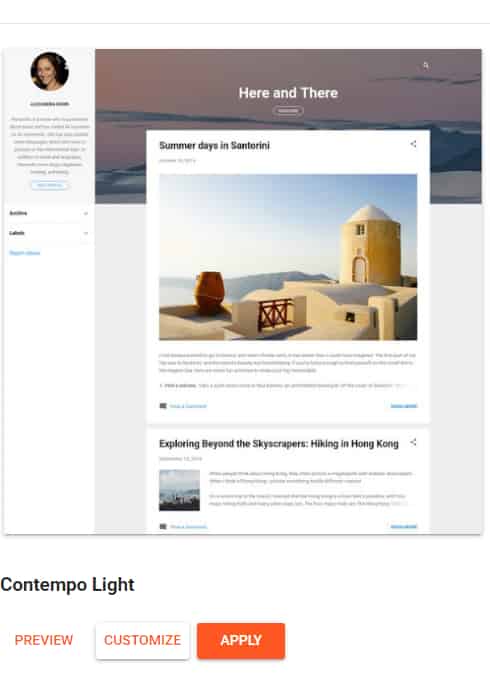 Now click on the apply button. Your theme will be uploaded automatically. After uploading
You can customize it.
You can change the color of the theme.
You can add a logo and descriptions about business.
You can change your menu looks by Clicking on the Layout button which is just above the theme options.
There is a lot of theme such as educational themes, themes for travel blogs. for personal blogs, for news, and many more. You can also download the theme from this website ccssauthor. You can customize your theme.
You can check stats about your blog posts.
You can manage different settings from the settings button
You check the comments of the community.
You can write a blog post.
You can earn money from your blogger.
Now click on the apply button. Your theme will be uploaded automatically. After uploading
You can customize it.
You can change the color of the theme.
You can add a logo and descriptions about business.
You can change your menu looks by Clicking on the Layout button which is just above the theme options.
There is a lot of theme such as educational themes, themes for travel blogs. for personal blogs, for news, and many more. You can also download the theme from this website ccssauthor. You can customize your theme.
You can check stats about your blog posts.
You can manage different settings from the settings button
You check the comments of the community.
You can write a blog post.
You can earn money from your blogger.
Writing and Publishing Blog posts
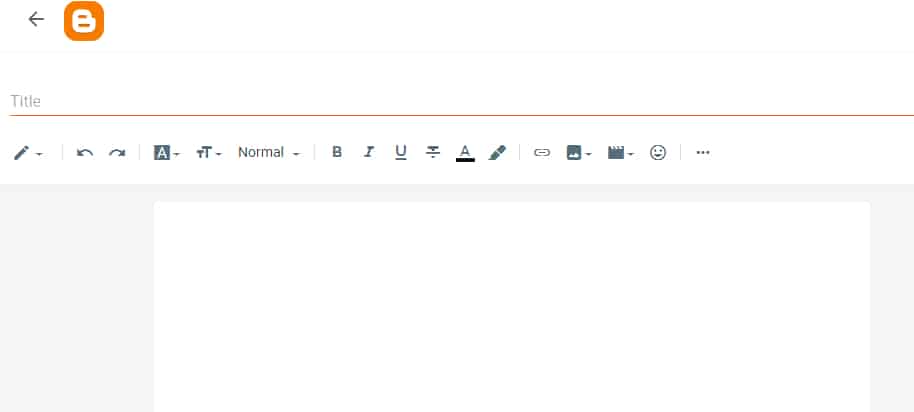
After blog customization, you will write a blog post that is your ultimate goal. Click on posts on your left side of the blogger dashboard and create a new post. After clicking on the post button following page will be open. 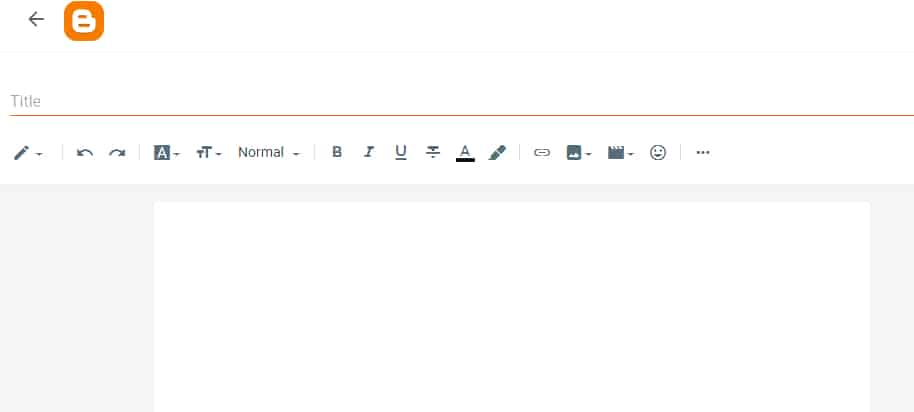 The above page will be open (just like a page of Microsoft word). Here you should write your first blog post and express your ideas to the audience. You can add image URLs and alt texts in your post. You can also increase the font size. There are many other options you yourself should explore separately. After writing your post you can publish it. On your right side, there will be a preview and publish button click on the publish button. Your post is live now.
Conclusion
To sum up we can say that blogger.com is the best platform for new bloggers because other platforms will charge money. If you are new in this field you can not afford the initial costs. So we recommend you If you do not have any prior idea about domain registration and hosting, you should select blogger.com as the best and the biggest platform for bloggers. There is no need to register a domain name or hosting plans all activities will be managed by google. Your main focus should be on your blog engagement and creating quality content. Create a free blog and after 6 months you can apply for Google Adsense to monetize your content. Any queries and questions please ask and feel free.